

On this page+
Ask a room full of SaaS founders which CRM they use and you’ll get a room full of different answers. Ask them which CRM they started with, and you’ll get an even more interesting one, because almost nobody scales on the system they signed up for at five employees.
That’s not a failure of research. It’s the nature of the problem. Early on, a CRM is basically shared memory: a place to keep contacts and deals so nothing falls through the cracks. But somewhere between 20 and 100 people, the job changes. Your CRM stops being a filing cabinet and starts being the operating system for your entire go-to-market motion, running your sales automation, your marketing automation, your lead management, your reporting, all of it.
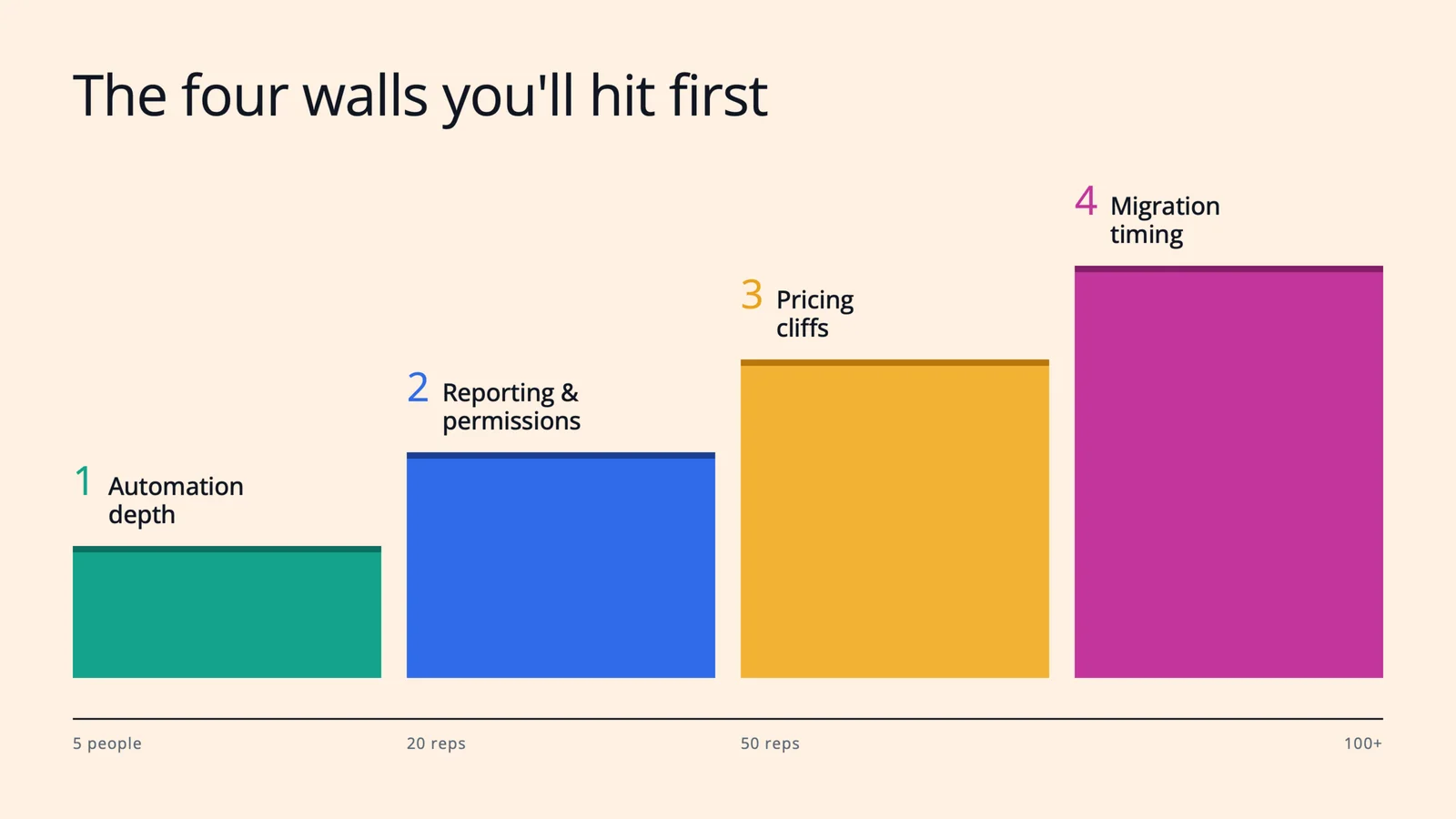
Here’s the thing, though: teams almost never outgrow CRM platforms because of missing features. They outgrow them because they slam into one of four walls. If you know where those walls are before you hit them, you can pick a platform (and a migration moment) with your eyes open.
Let’s walk through all four.
1. You’ll hit the automation-depth wall first.
In the early days, “automation” means an email sequence and maybe a Slack alert when a demo gets booked. That’s genuinely enough. But as pipeline volume grows, the cracks show up fast.
Suddenly you need real lead management: routing rules that assign inbound leads by territory or segment in seconds, not whenever someone checks the shared inbox. Lead scoring, so reps work your best-fit accounts first instead of the newest ones. Lifecycle stages (lead, MQL, SQL, opportunity) that marketing and sales both actually respect, enforced by the system rather than by tribal knowledge.
This is where lightweight, startup-friendly tools quietly tap out, and where you feel the difference between a contact database and true sales automation. The tell is simple: if building a new workflow requires a workaround, a third-party tool, or a Zapier chain someone has to babysit, you’re already leaning on the wall.
What to do about it: Before you evaluate anything, write down the ten workflows that eat the most rep time or leak the most revenue. Then make every vendor build two of them live in a demo.
2. Reporting and permissions will sneak up on you.
This is the wall nobody sees coming, because it has nothing to do with day-one requirements.
The moment you hire your second sales manager, everything changes. Now you need team-level pipeline views. Field-level permissions, so an SDR can’t accidentally rewrite deal amounts. Forecast roll-ups by team. Attribution reporting your CFO won’t laugh out of the room. Custom objects for the things that make your business your business, like product usage or billing events.
And here’s the uncomfortable pattern across nearly every vendor: this is exactly the stuff that gets paywalled. The features that make customer relationship management work for a team of teams almost always live two pricing tiers above where you started.
What to do about it: When you’re comparing CRM platforms, don’t read the pricing page for the plan you’re buying. Read it for the plan two tiers up, because that’s the one your 18-months-from-now self will need. If the reporting and permission features you’ll require at 50 reps only exist on an enterprise tier with a “contact sales” button, factor that into the real cost today.
3. Pricing cliffs won’t hurt you if you model them before you sign.
Every scaling team eventually learns that CRM pricing isn’t a line, it’s a staircase, and some of the steps are steep.
You’ve probably heard the war stories. The jump from a starter tier to a professional tier that multiplies your bill overnight. The platform that looks affordable per seat until you realize you need a full-time admin or a consultant to actually run it. The contact-based pricing that quietly punishes you for the thing marketing worked hardest to build: a big database.
None of this makes those platforms bad. It makes them priced for a future you may or may not grow into. The mistake isn’t paying more as you scale; that’s normal. The mistake is being surprised.
What to do about it: Model your total cost at 3x your current headcount and 5x your current contact volume, including admin time, onboarding fees, and the tier that unlocks the automation and reporting from walls one and two. Do this for your top two or three finalists side by side. It’s thirty unglamorous minutes in a spreadsheet, and it can save you an entire mid-growth migration.
4. Migration timing matters more than tool choice.
Here’s the take that surprises most founders: when you switch matters as much as what you switch to.
Every quarter you wait past the breaking point, you accumulate data debt. Duplicate contacts. Deals with fields half-filled. A marketing automation tool synced to your CRM through a connector that mostly works, holding two versions of the truth that mostly agree. Each of those is survivable on its own. Together, they turn your eventual migration from a weekend project into a quarter-long slog, right when your pipeline can least afford the disruption.
The signals that it’s time are surprisingly consistent: you’ve hired (or are about to hire) a second sales manager. You’re crossing 15 to 20 reps. Marketing and sales are debating whose numbers are right in the Monday revenue meeting. Or your ops person spends more time maintaining syncs and spreadsheets than improving the process.
What to do about it: Migrate before you think you need to. Pick a quiet stretch of the quarter, appoint one owner, clean your data before it moves (not after), and run the old and new systems in parallel for two to four weeks. Boring? Absolutely. But boring migrations are the good kind.
So… which CRM is actually “best”?
If you were hoping for one name, here’s the honest answer: the best SaaS CRM is the one whose walls you won’t hit for the next two to three years, at a price you can see coming.
For some teams, that’s an all-in-one platform where sales and marketing automation share a single database, so lead management and attribution just work without a sync to babysit. For others, it’s a heavyweight system with deep customization, plus the ops headcount to match. For a seed-stage team, it might genuinely be the lightweight tool everyone loves using, with a calendar reminder to revisit the decision at 15 reps.
The point is that “best” is a question about your walls, not about logos.
Final thoughts
Scaling a SaaS company means your CRM decision is never really finished; it’s a decision you revisit as the company changes shape. But you don’t have to be caught off guard.
So here’s your first step: this week, grab your sales and marketing leads for 45 minutes and pressure-test your current setup against the four walls. Where’s your automation straining? What reporting will you need at your next headcount milestone? Where are the pricing cliffs on your current contract? And what would a calm, boring migration look like if you started it a quarter early?
Do that, and you won’t just pick a better platform. You’ll be the team that saw the wall coming and stepped around it, while everyone else was still comparing feature grids.

CEO & Founder at Revlyn. Part of the team that builds and operates HubSpot portals day to day.